

In the tutorial we are going to see, it will be illustrated how starting from a polygonal cube with the Autodesk Maya modeling and rendering program, with Extrusions of faces you can create a 3D giraffe. The tools and the result are quite simple, and the tutorial is great for beginners and users who want a simple and stylized 3D model.
Related Posts
06
Jun2013
Kinetic Text Animation in After Effects – Tutorial
Un bel video-tutorial dalla rete che spiega come animare delle scritte in After Effects in modo cinetico per avere un effetto moderno e accattivante. Una bella lezione che si può…
17
Nov2022
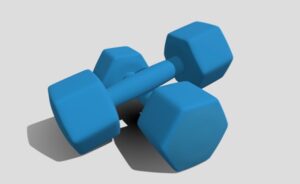
Hexagonal Dumbell Weight 3D Free Objects download
On this page we propose a Hexagonal Dumbell Weight 3D object to download for free and use in your projects. An element that is also useful for 3D printing. Download…
16
May2018

Modeling a Gas Regulator in Autodesk 3ds Max
In this interesting video tutorial we will see how to create a regulator for gas 3d using the modeling and rendering program Autodesk 3ds Max. A very detailed lesson even…
10
Sep2013
Realistic Portrait Retouching With Photoshop
Designer e fotografi oggi devono avere un variegato insieme di abilità che li distingue dal coro. Una capacità comune è quella di saper utilizzare il ritocco fotografico. Il tutorial che…
18
Apr2013
Rendering with Motion Blur in Maya
In the tutorial you will see it is shown as creating a realistic Motion Blur in Maya. As you know when an object moves very fast and is seen through…
11
Dec2012
Illustrator Tutorial: Vector Wine Bottle and Glass
If you like working on Illustrator, then today I’m going to teach you an exciting tutorial. It will definitely help you a lot in becoming a professional designer. In this…
